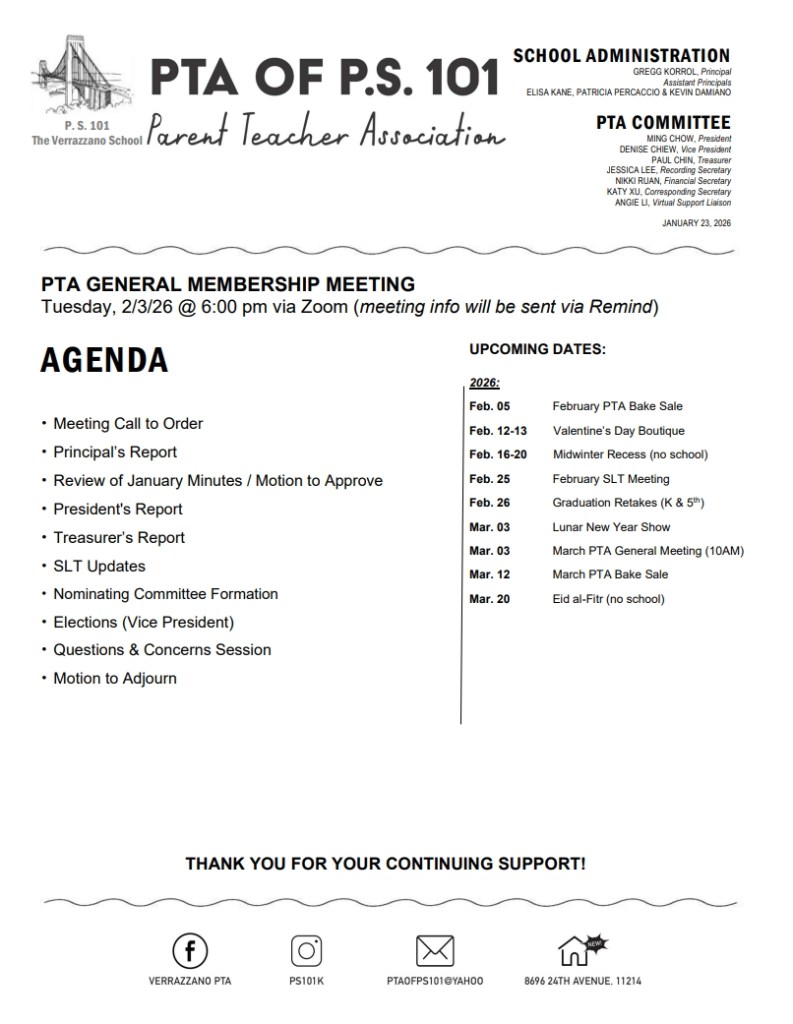
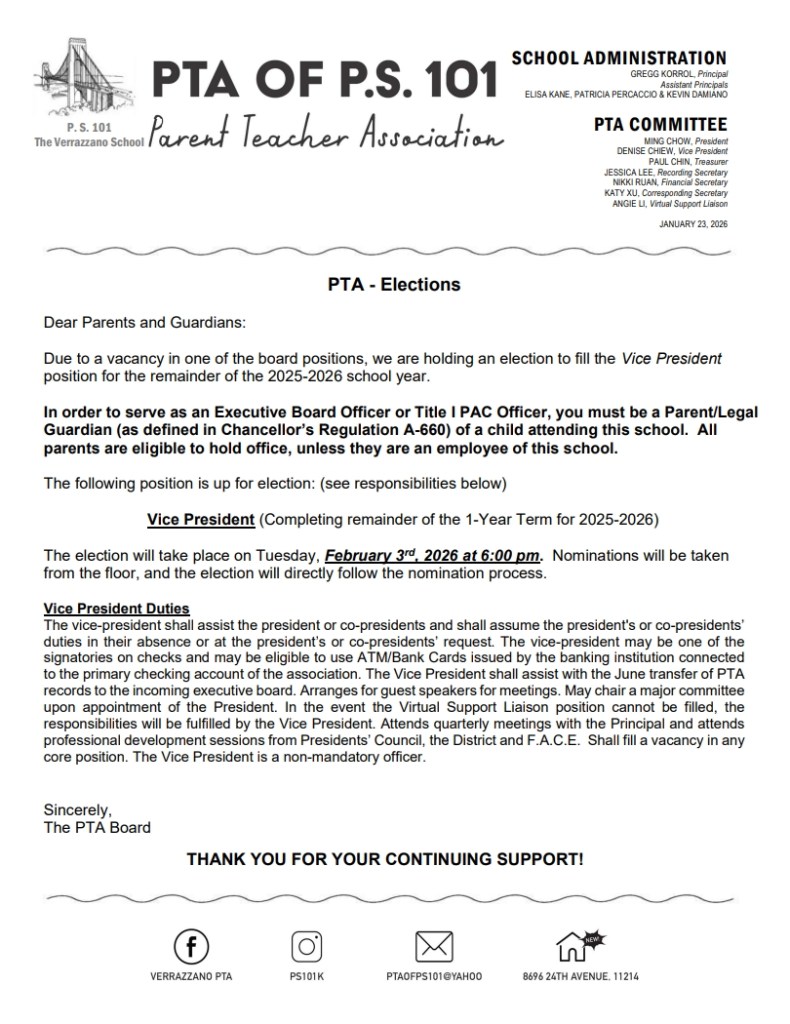
The next PTA General Membership Meeting will be held on February 3rd at 6:00 pm via Zoom (meeting info will be sent via Remind), along with an election to fill a vacancy in one of the board positions.
Please see below for the meeting agenda and election details. Thank you for your continued support!
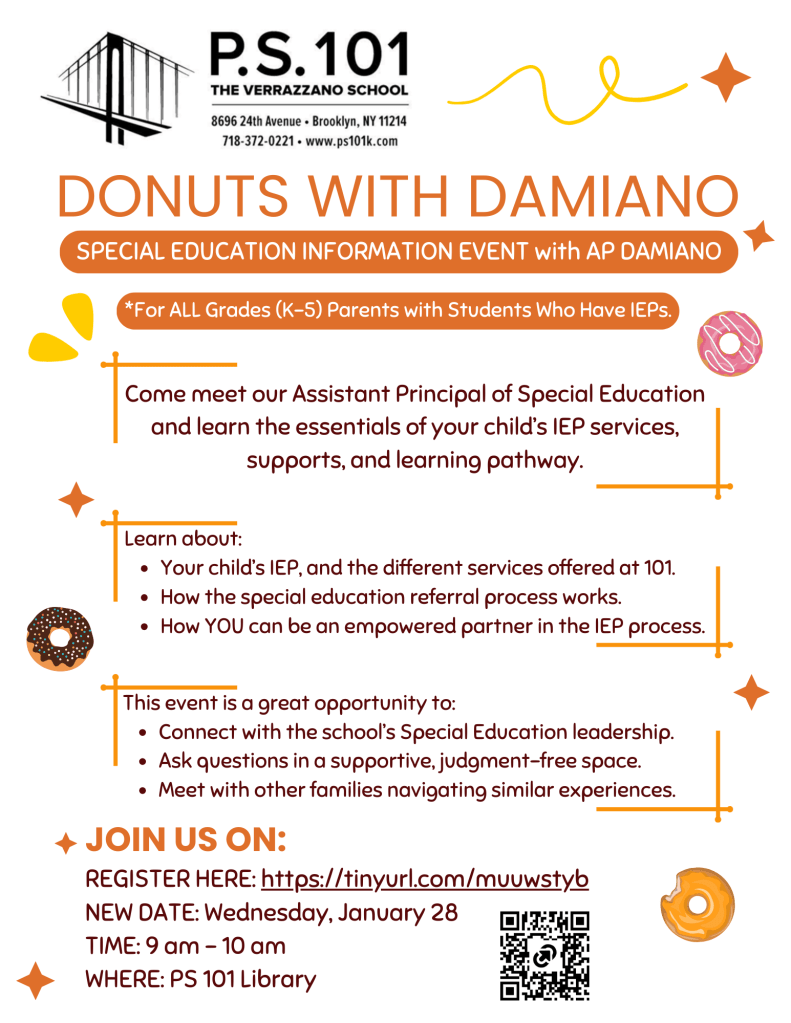
Greetings PS 101 Parents/Guardians of Students with IEPs:
Due to a meeting conflict, we have rescheduled our upcoming in-person Special Education Information Event with AP Damiano. Please join us on January 28 at 9am (NEW DATE) to meet AP Damiano and learn the essentials of your child’s IEP. We have also opened the event to parents of students with IEPs in ALL grades (K – 5th Grades).
To register for this event, please sign up using the following link and see updated flyer below for further details. If you signed up already for the original event, you do not need to register again.
We are excited to invite you and your child to a special Parent-Child Music and Rhythm Workshop, in partnership with Marquis Studio! This engaging session will focus on Music and Rhythm, where children will explore tempo, melody, and pitch through interactive, hands-on activities designed to foster a deeper appreciation for music.
Event Details:
Topic: Music and Rhythm
Date: Saturday, January 24, 2026
Time: 9:00 AM – 10:30 AM
Location: PS 101 School Building
Important Notes:
Seats are limited to 25 students.
Participants will be selected by lottery after the RSVP deadline (Sunday, January 18, 2026).
Selected families will receive a separate text message from 347-563-4680 during the week of January 19, 2026.
Mark your calendars! We’re excited to announce an upcoming Parent-Child Music and Rhythm Workshop, in partnership with Marquis Studio. This workshop will immerse you and your child in the basics of tempo, melody, and pitch through fun, hands-on activities.
Save the Date:
Date: Saturday, January 24, 2026
Time: 9:00 AM – 10:30 AM
Location: PS 101 School Building
Please note that space is limited to 25 students, and participants will be selected on a lottery basis. Keep an eye out for the official invitation with RSVP details on Thursday, January 16, 2026 at 5:45 PM!
We look forward to a fun and educational experience with you and your child! 🎶🥁
Get ready for an exciting opportunity! We are thrilled to announce an upcoming drawing event exclusively for 1st and 2nd graders, in partnership with Marquis Studio.
Save the Date:
Date: Saturday, January 24, 2026
Time: 9:00 AM – 10:30 AM
Location: PS 101 School Building
In this fun and engaging session, your child will explore the basics of drawing with guidance from professionals. Seats are limited to 25 participants and will be filled on a lottery basis.
More details, including RSVP instructions, will be shared on Thursday, January 16, 2026 at 5:30 PM. Stay tuned!
We are excited to announce an upcoming Parent-Child Workshop for 3rd–5th grade students and their parents! In this workshop, families will use the natural world as inspiration to create art projects with environmental themes.
Event Details:
Topic: Eco-Art
Date: Saturday, January 10, 2026
Time: 9:00 AM – 10:30 AM
Location: PS 101 School Building
The registration link will open on Thursday, January 2, 2026 at 5:45 PM.
Due to limited seating, the workshop is limited to 25 students, and participants will be selected by lottery after the RSVP deadline.
Please watch for the registration link to sign up if you are interested. Thank you for your continued support!
We are excited to invite you and your child to a special Parent-Child Workshop, in partnership with Marquis Studio! Join us for an engaging session on Eco-Art, where families can explore creativity while learning about sustainability. Eco-Art involves using natural, recycled, or sustainable materials to create art that promotes environmental awareness.
Event Details:
Topic: Eco-Art
Date: Saturday, January 10, 2026
Time: 9:00 AM – 10:30 AM
Location: PS 101 School Building
Important Notes:
Seats are limited to 25 students.
Participants will be selected by lottery after the RSVP deadline (Sunday, January 4, 2026).
Selected families will receive a separate text message from 347-563-4680 during the week of January 5, 2026.
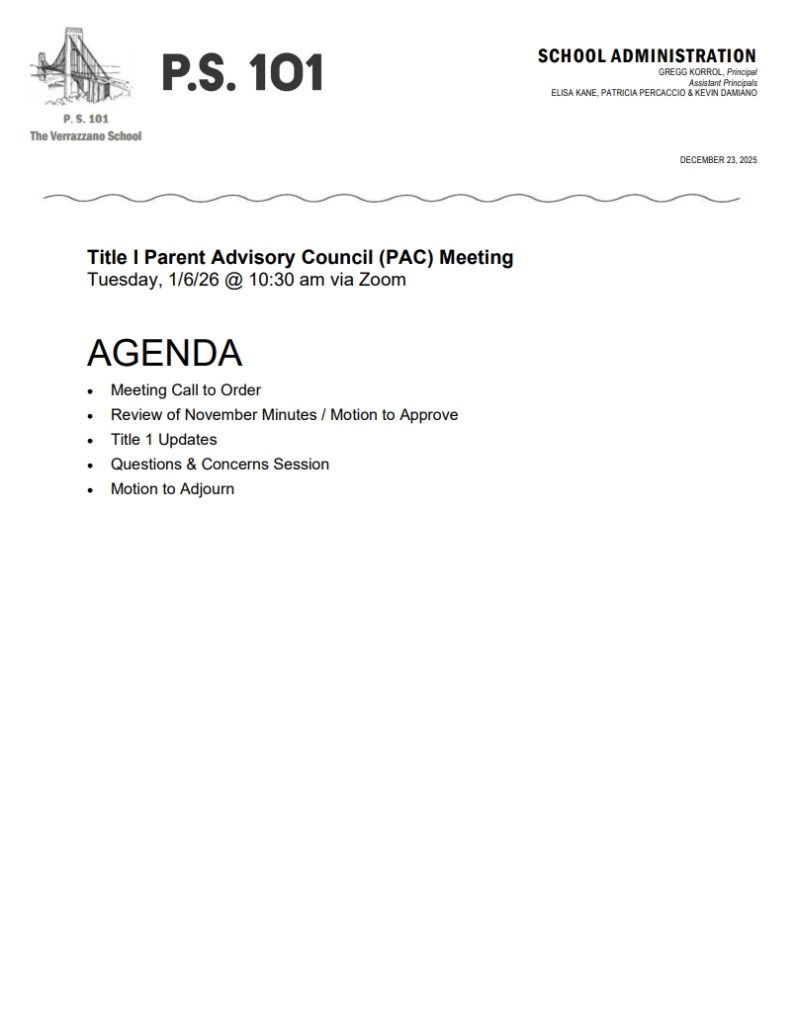
Please see below for the agendas for the upcoming PTA General Membership meeting on Tuesday, January 6th at 10:00am and Title I Parent Advisory Council (PAC) meeting on January 6th at 10:30am. Both meetings will be via Zoom and meeting info will be sent via Remind as the date approaches.


 PS 101 The Verrazzano School